Subscriptions - How to add or change ICC (SIM)
Adding or Changing ICC for Subscriptions: A User-Friendly Guide
Modifying or adding an ICC (Integrated Circuit Card) aka SIM card for your subscriptions is a breeze with our intuitive system. Follow these simple steps for a seamless process:
1. Access the Subscriptions Tab: Begin by navigating to the "Subscriptions" tab in the admin view. This is your hub for effective subscription management.
2. Locate the Subscription: Find the specific subscription you wish to modify by utilizing the search feature.
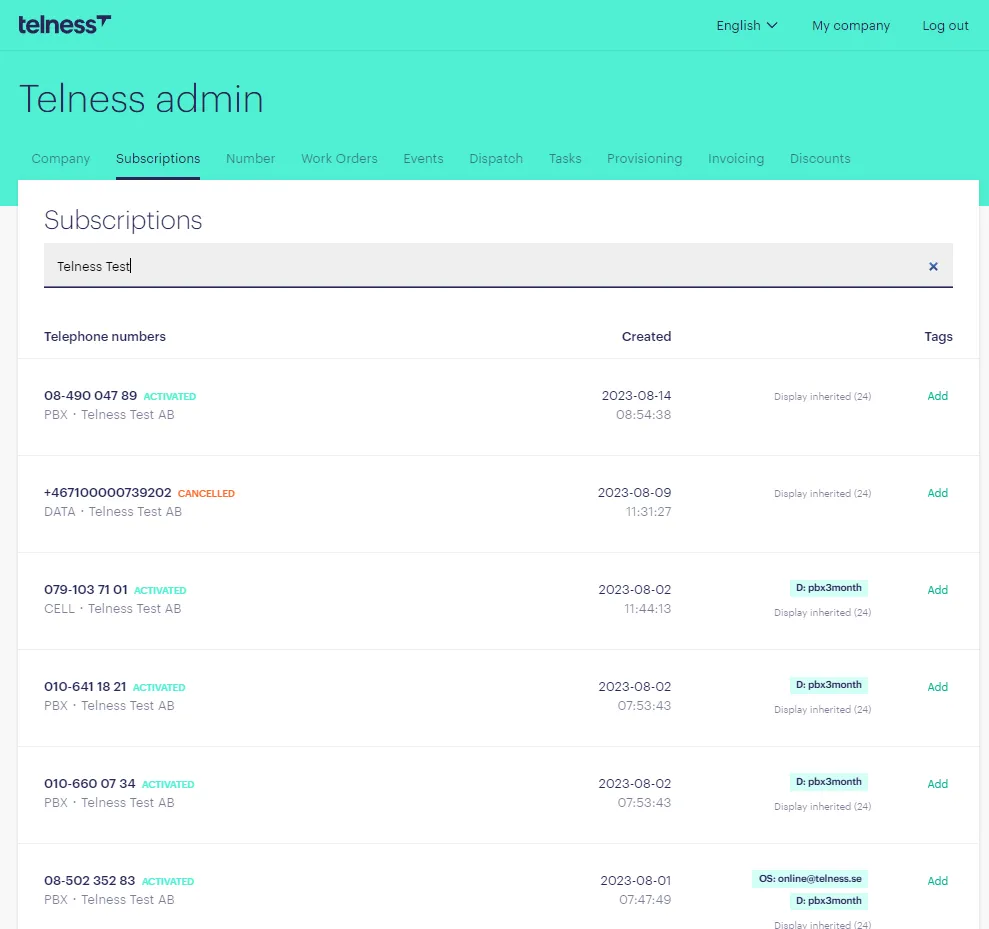
3. Open the Subscription: Click on the subscription to access its detailed information. This is where the magic happens.
4. Click "Manage": In the top right corner, you'll see the "Manage" button. Click it to reveal a menu of management options.
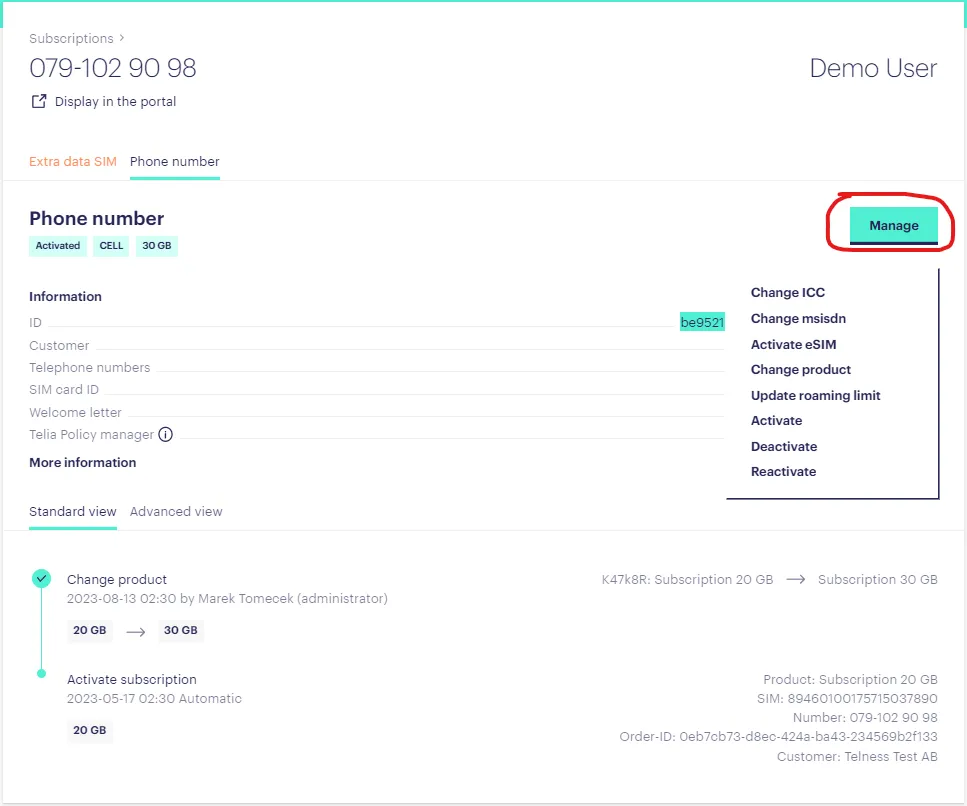
5. Deactivate the Subscription: As the first step, press "Deactivate" and patiently wait for the deactivation process to finalize. This step ensures a smooth transition.
6. Access ICC Change Option: Once the deactivation is complete, you'll notice the "Change ICC" option within the same menu. Click it to proceed.
7. Choose the New ICC Number: A new window will pop up, presenting a dropdown menu. Here, you can select the new ICC number you want to associate with the subscription. After that just save. The re-activation of the subscription happens automatically so you don't need to activate again!
By following these straightforward steps, you'll be able to effortlessly modify or add an ICC number to your subscription, ensuring accurate and efficient communication services.