Orders - How to make an order transferring an existing number
When ordering a new subscription with a number the customer already has active with another operator. You will be choosing the option “Transfer existing” in the order checkout flow.
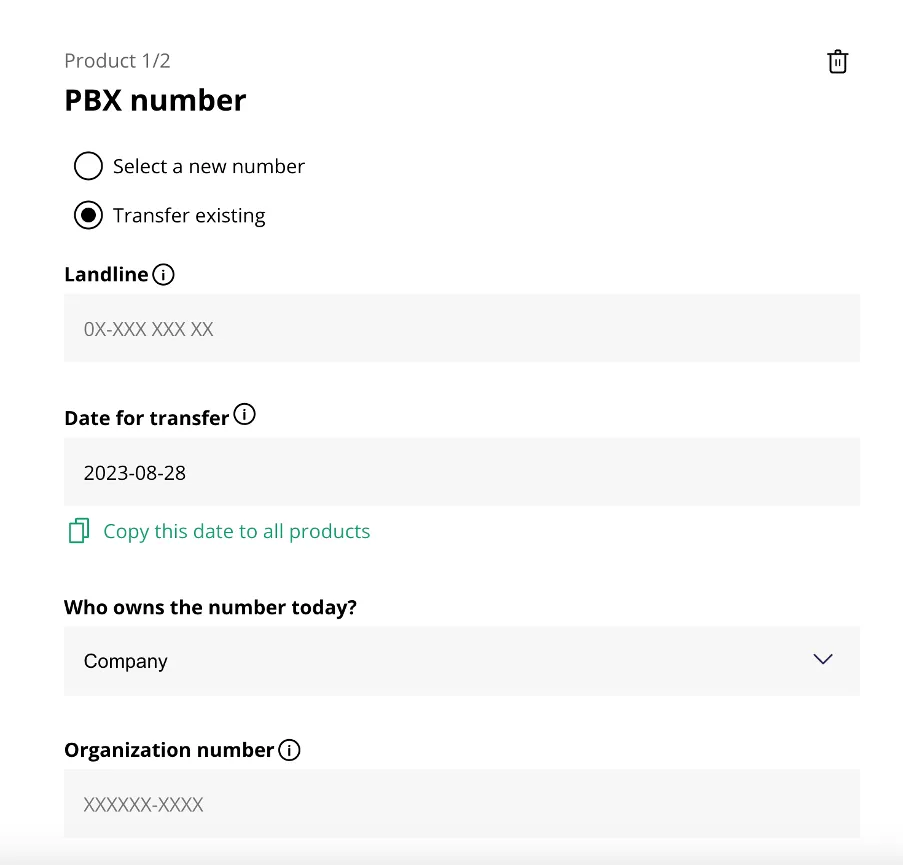
Then you proceed to fill out the columns with:
- The number you want to transfer in the first field.
- The date for the transfer.
- Who owns the number today should either be Company or Private person, this has to correspond to the active subscription at the current operator.
- Organization number/Personal number also has to correspond to the active subscription at the current operator.
This personal/organization number should match the currently active subscription with current operator, this regardless of the organization number of the customer you are creating. Once this has been filled out for all the ordered numbers you can continue to the next step and sign the order. Once the order has been signed a workorder item will appear in your workorder tab. Within this order is where you start the actual number porting and send the request to the current operator. This is done by finding the field called “porteringar” or “portings” here you’re met with one option for a new subscription, and two options if a previous porting has been created for the workorder. The first option is to “Create new”. This option will open a dialogue box where the organization number and porting date, provided as current owner and date of porting in the order, is pre-filled. If these seem correct, click send. If not, edit them and click send. The second option is “Display X total”. This option will expand a list displaying all the porting attempts created for the number. These can have a few statuses: Order - this is for new portings that has recently been sent and no response has been received. Accepted – this is when the current operator has approved the porting request. Rejected – this is when the current operator denies the porting request. This is combined with an error code explaining why they’ve denied it. Read more about the error codes here <- link to porting errors. ** TODO