Orders - How to order a number from your Number Pool
Note: Only available numbers are going to let you go through with the order. If a number is reserved or has any other status than available you'll be unable to complete the order. Start with finding an available number in the number tab of the admin portal.
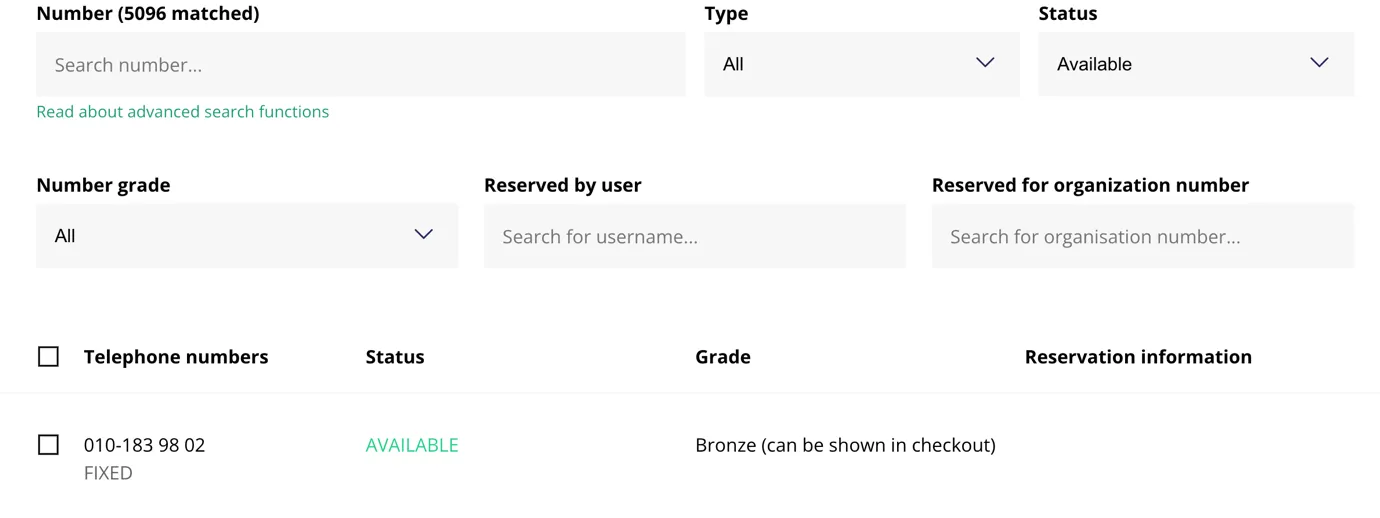
Once you have found the number please remember it and go into the order flow and order the subscription type the customer has requested.
When asked to select a number for the subscription choose the option called "Transfer existing". Paste/write the number you selected in the field and write your own organisation number in the field called "Organisation number" under "Who owns the number today".
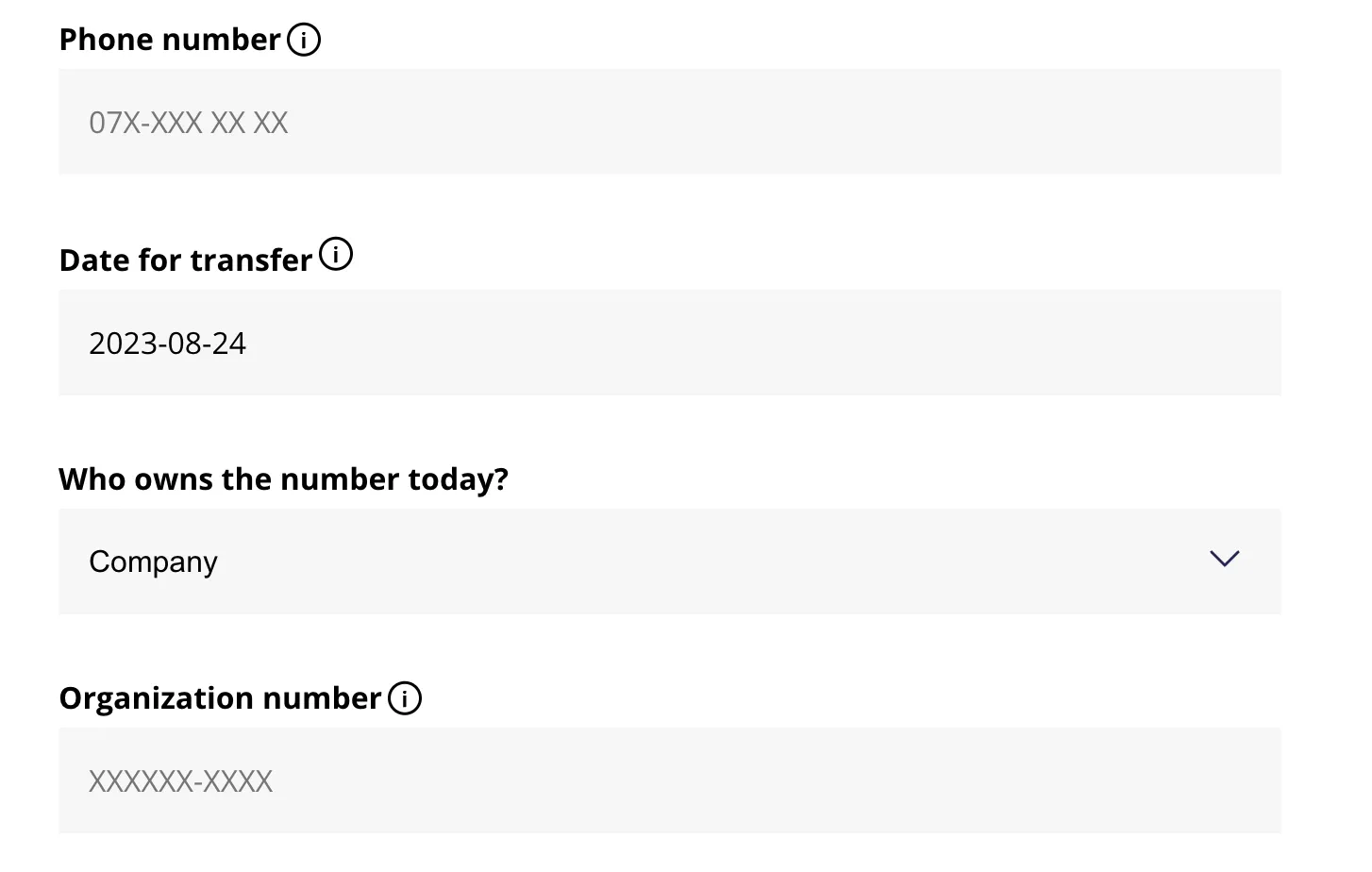
Once the fields are filled go through and sign the order. With it being a number currently owned by you there's no need for a number porting so you can go ahead and activate it at once by changing the start date of the subscription. Remember to provide the customer with a SIM(ICC) card if the order is for a cell subscription.