Work Orders - Managing a Work Order
Managing a work order has never been easier with our intuitive interface. We offer a range of options to streamline your workflow and ensure efficient execution. Here's a breakdown of the features at your disposal:
1. Information Display
All the crucial details you need are presented on a single page. Everything is neatly organized for quick reference:
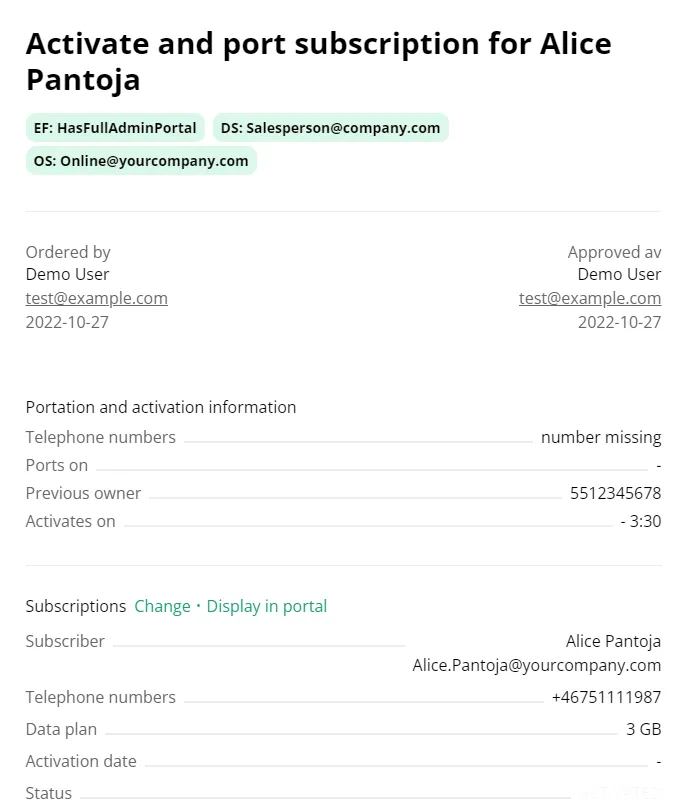
2. Work Order Management Options
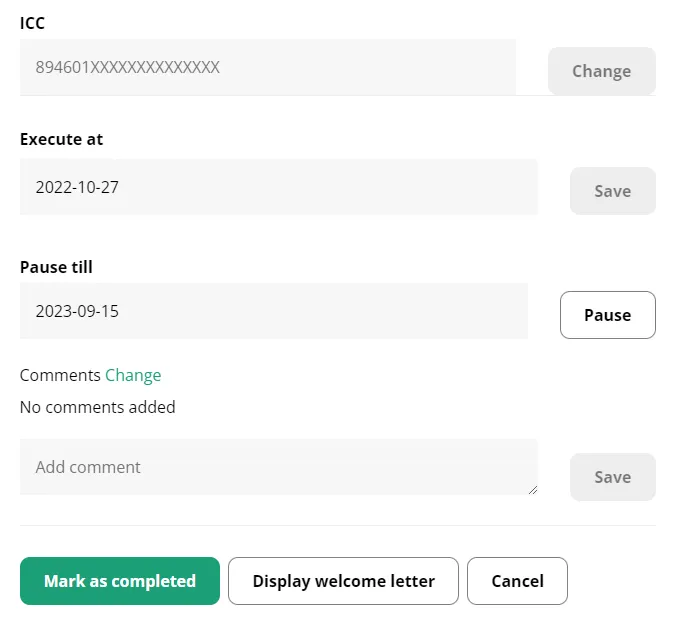
Pause Order: Need to halt the process temporarily? No problem. Utilize the "Pause Order" button to put things on hold until you're ready to proceed .Just select a date and hit the pause button! Flexibility is at your fingertips, allowing you to adjust timelines according to your needs.
Order Execution: You also have the ability to change when this work order should be executed. Simply select the date and hit the save button next to the date selector labeled "Execute at"!
Comments: Communication is key. Attach comments to work orders to provide essential context, instructions, or additional information. It's all about ensuring a smooth process.
Mark as Complete: When the task is successfully wrapped up, use the "Mark as Completed" button to update the status. This straightforward action streamlines your record-keeping process.
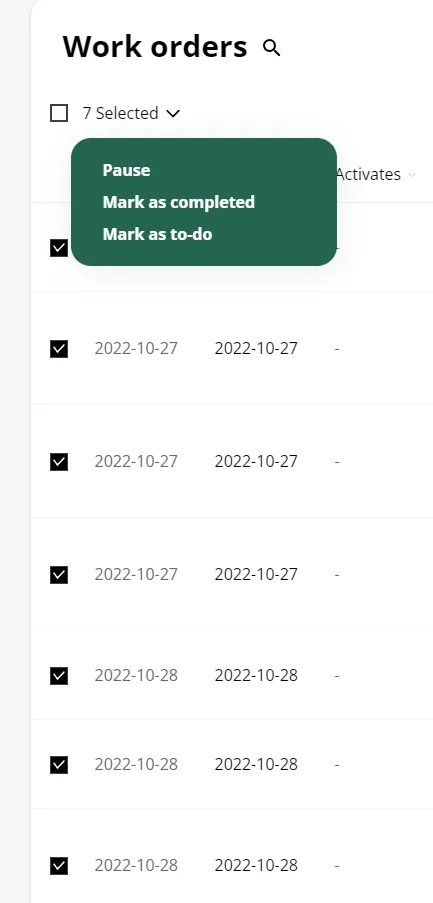
Multi-Select: You can also manage multiple orders at the same time using our multi-select option. Simply select all the orders using the checkbox on the right and then use our dropdown menu to assign them a status of your choosing, as shown in the image below:
Work order management shouldn't be a complex puzzle. With our user-centric design, you'll find yourself effortlessly controlling the process, from pausing to executing, all while keeping a clear overview of essential details. Let us help you make work order management a seamless part of your workflow.