Invoicing - How to find an Invoice
Navigating through the invoicing process is simple and efficient with our user-friendly system. Here's a concise guide to help you seamlessly manage your invoices:
1. Access the Invoicing Tab: Start by navigating to the "Invoicing" tab. This is your gateway to handling all your invoicing tasks. You might find that some months have lock sign on them. This means that the invoices are locked and cannot be changed.If the month has a "lock" on it that means the invoices are sent and can no longer be edited.

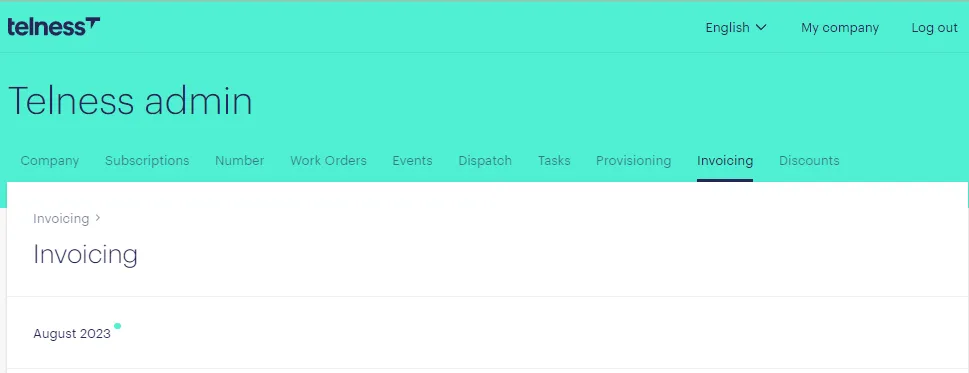
2. Choose the Invoicing Month: Select the specific invoicing month you're interested in. This allows you to focus on the desired timeframe.
3. Locate the Company: Use the search bar to find the company you're looking for. Typing their name will help you quickly pinpoint their information.
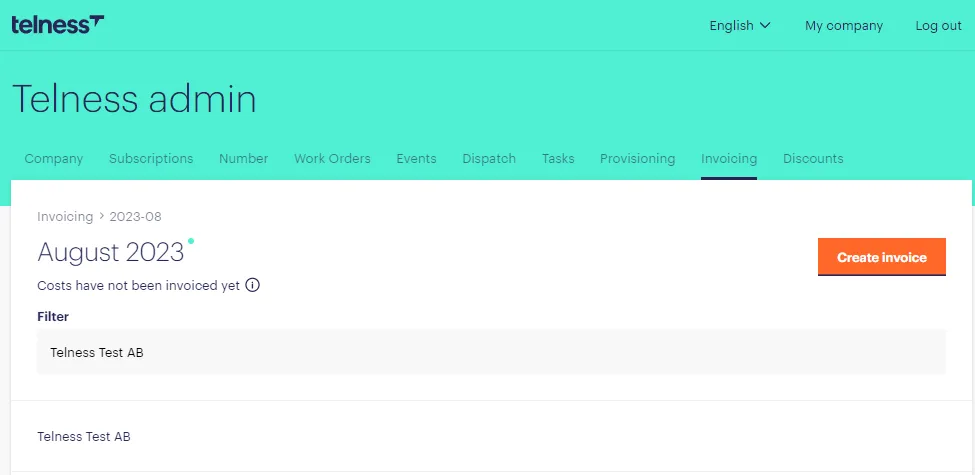
4. Select the Company: Click on the company's name to access their invoice for the chosen month. This provides a detailed overview of their financial activities.
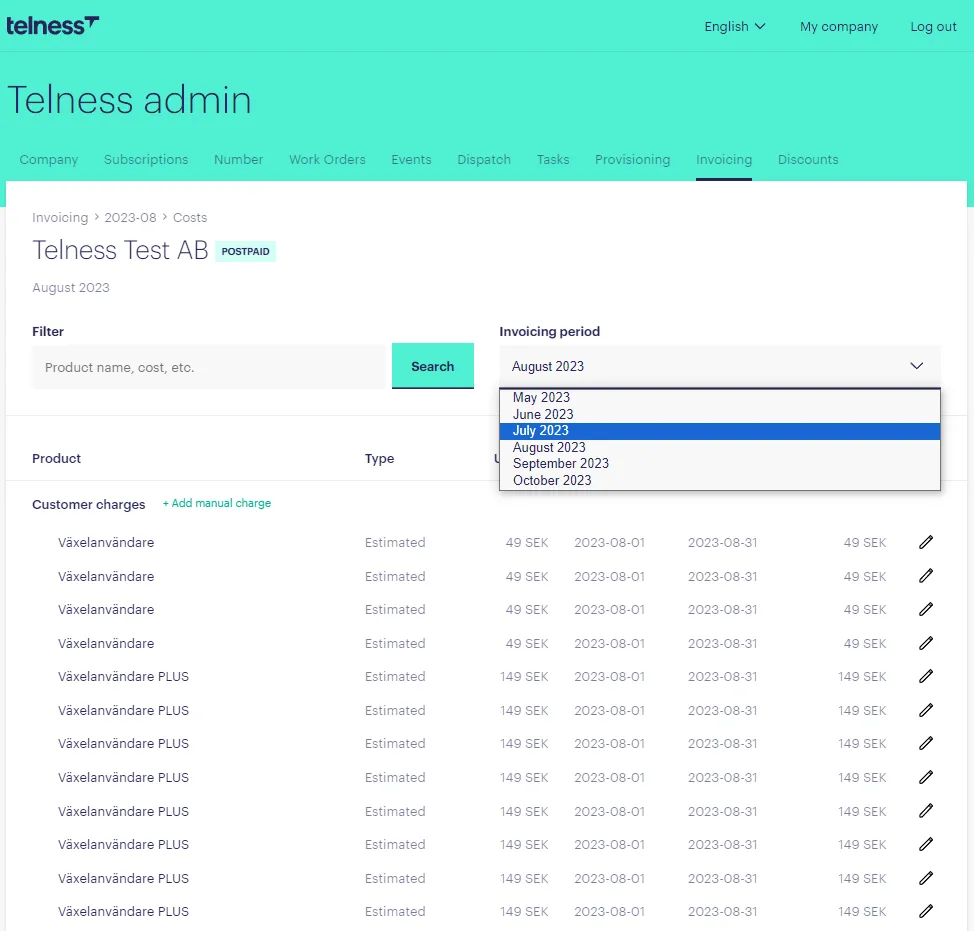
5. Quick Invoice Switching: To easily move between invoices for different months related to the same company, utilize the dropdown menu located in the top right corner. This streamlines your navigation process.
6. Quick Invoice Switching: To easily move between invoices for different months related to the same company, utilize the dropdown menu located in the top right corner. This streamlines your navigation process.
With these steps, you'll be able to efficiently navigate the invoicing section, access specific invoices, and manage your financial records effectively.