Numbers - How do I reserve a number?
How to Reserve a Number
Reserving a number is a great way to ensure you always get the number you're looking for, whether it is a customer or you as a company that would like to reserve a specific number.
1. Navigate to the Number Pool: To get started, navigate over to the number pool tab in the admin view:
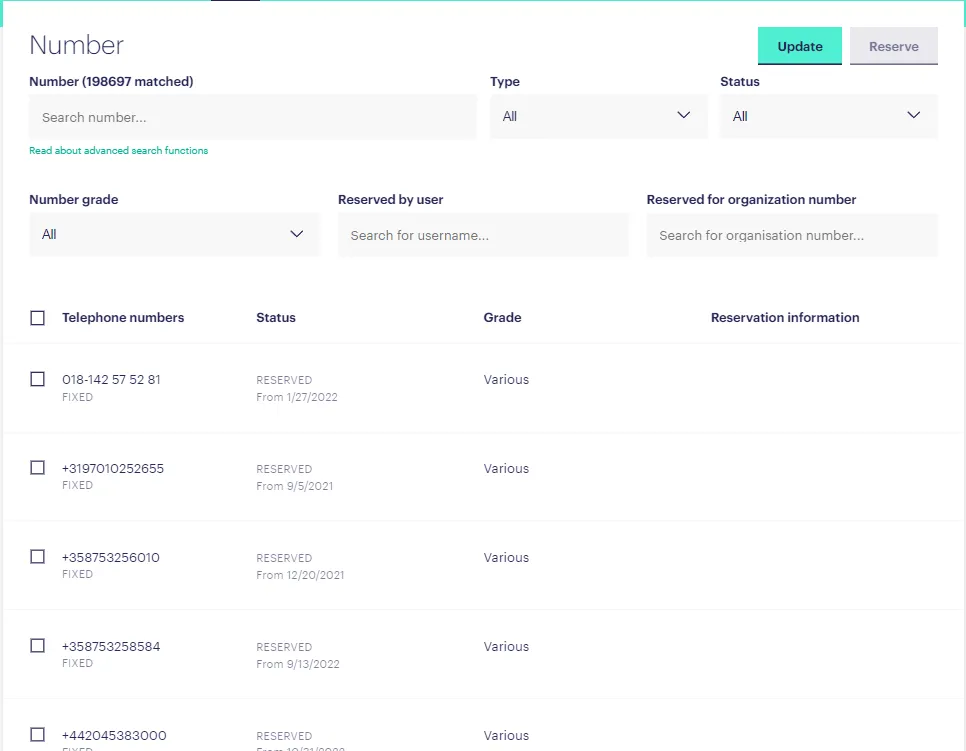
2. Search for a Number: Use the number search field and any of the available regular expressions or filters mentioned in one of our other Intercom articles.
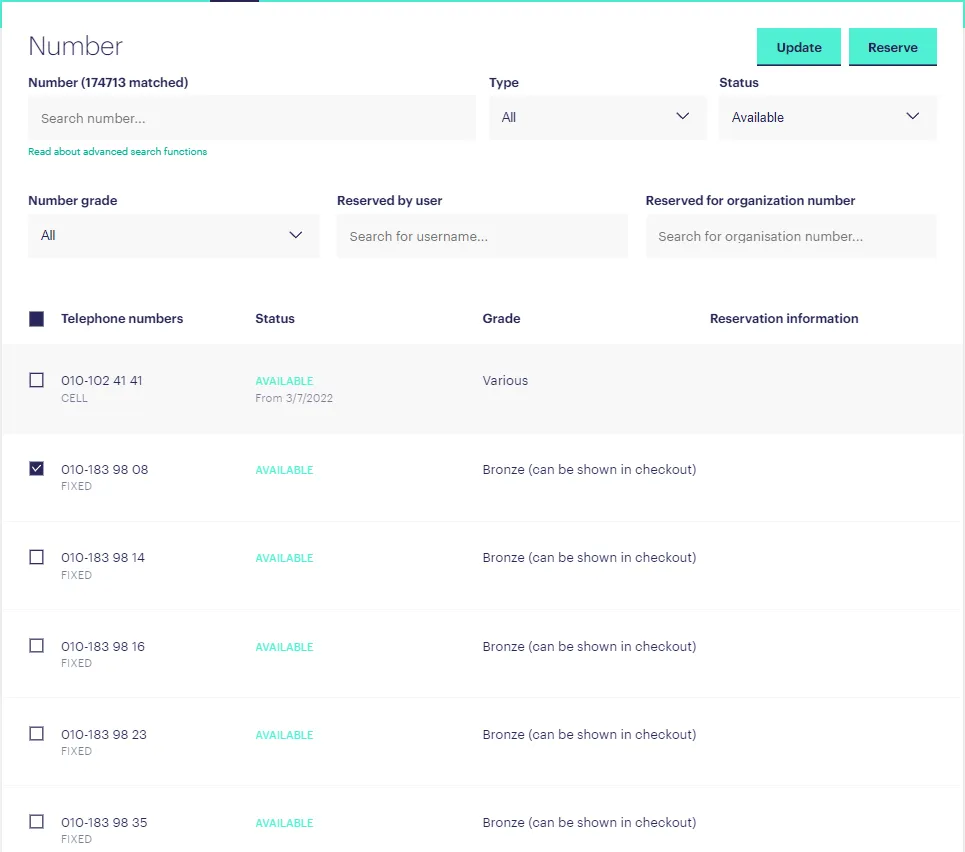
3. Select a Number: Select the checkbox next to one or more numbers, depending on your needs:
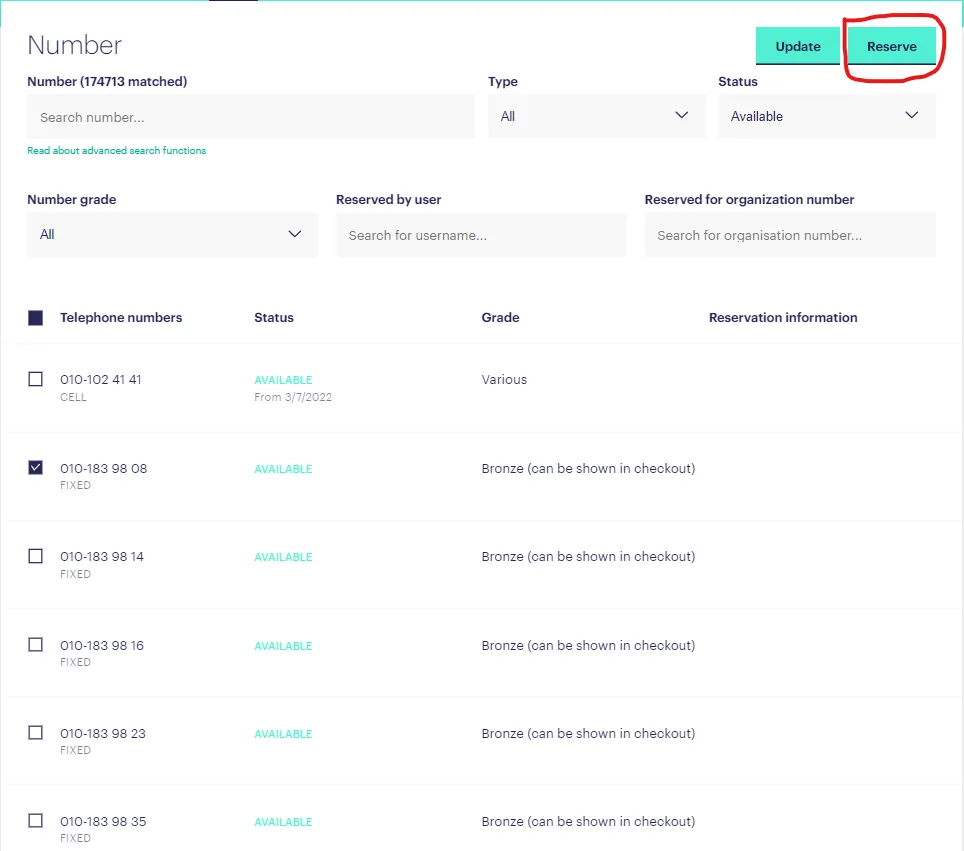
4. Reserve the Number: Press the 'Reserve' button to start the process:
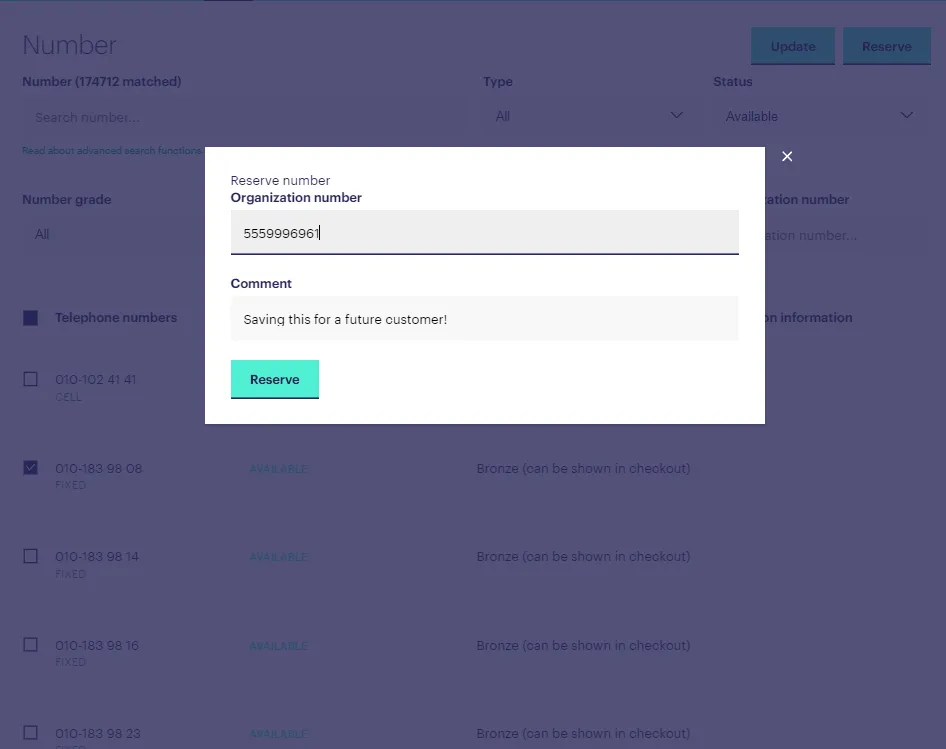
5. Fill Out Any Necessary Information: You may be asked to provide the reason for reserving a number. Make sure to also provide the customer organisation number:
Now you know how to reserve a number! With these easy to follow steps, you can ensure that you always get the number you need.