Work Orders - Checking on the Status of a Number Porting
Number Porting
Sometimes when dealing with a work order, the number that needs to be activated in the system also requires to be ported over from a different operator.
You can request a porting in the work orders tab of the admin view.
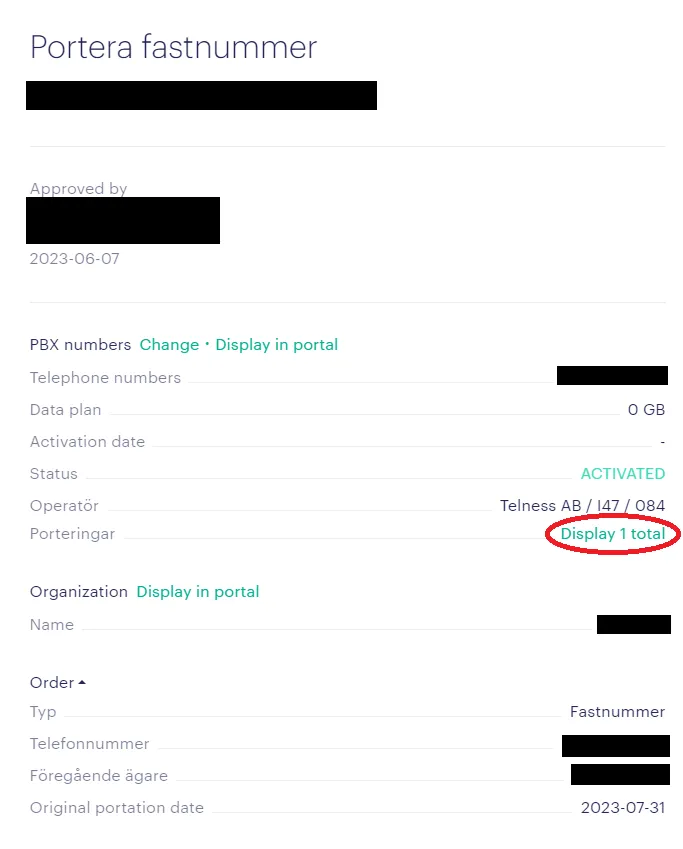
To check the status of a porting, you can click on the specific work order and find the “display X total” where X is the number of porting requests created for this number as shown in the image below:
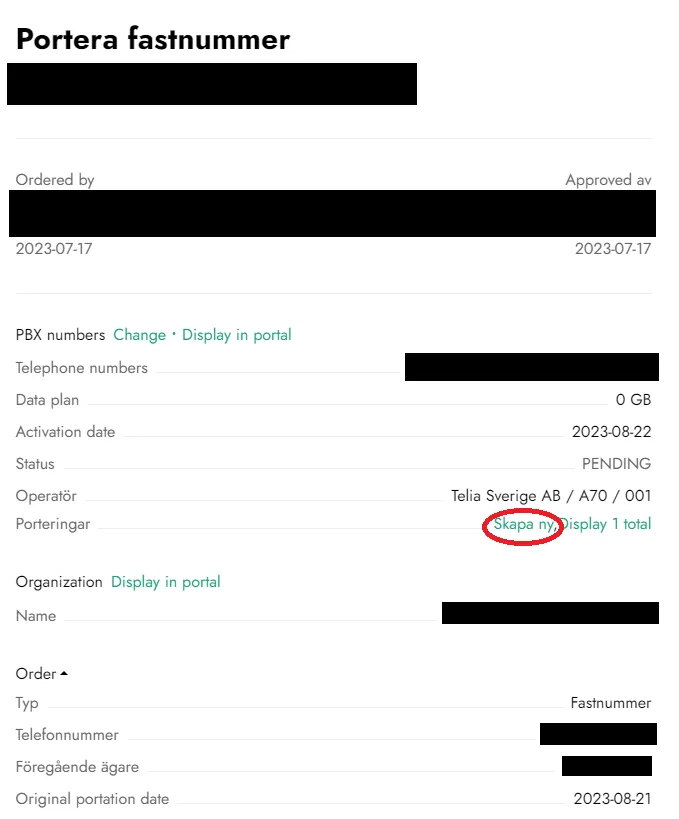
If there are no porting orders and the work order requires one, you can order a new number porting by pressing the “skapa ny” button:
Authorization
You will need to be an authorized administrator in order to access the number porting requests view.
Troubleshooting
If you have any issues with porting a number, contact us through chat or email for assistance.